A Developer's Guide to Setting Up Open Claw in XO
Welcome to the definitive guide for setting up Open Claw, the powerful framework for building and managing AI agents within the XO platform.
Watch the Full Video Walkthrough
For a complete visual guide, watch the full video tutorial below.
1
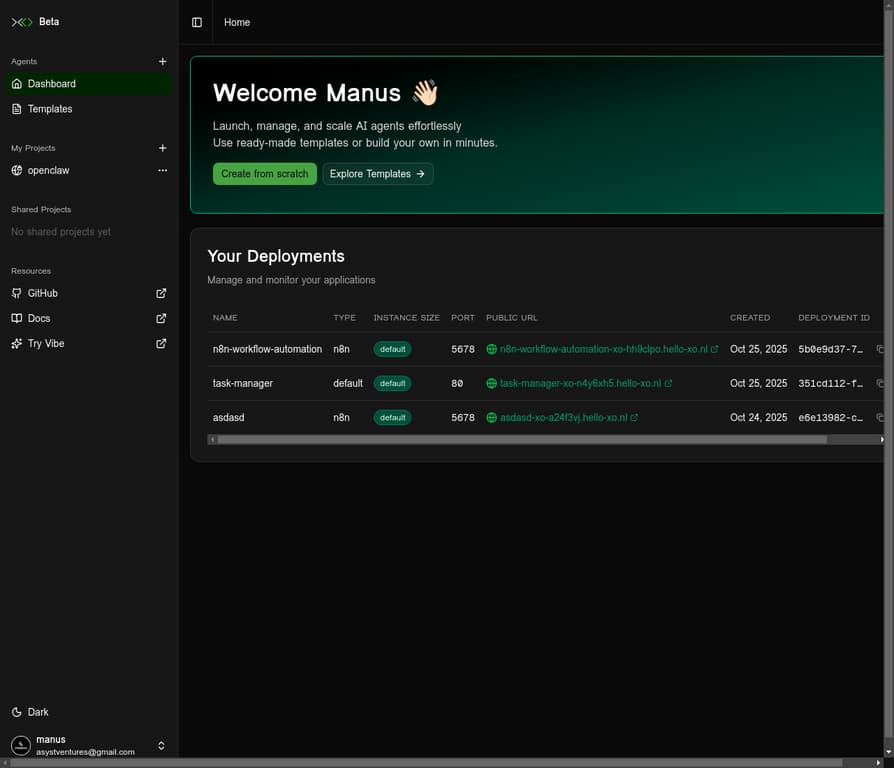
Your XO Dashboard
Begin by navigating to the XO platform at beta.xo.builders. This is your main dashboard where you can manage your projects and deployments.
2
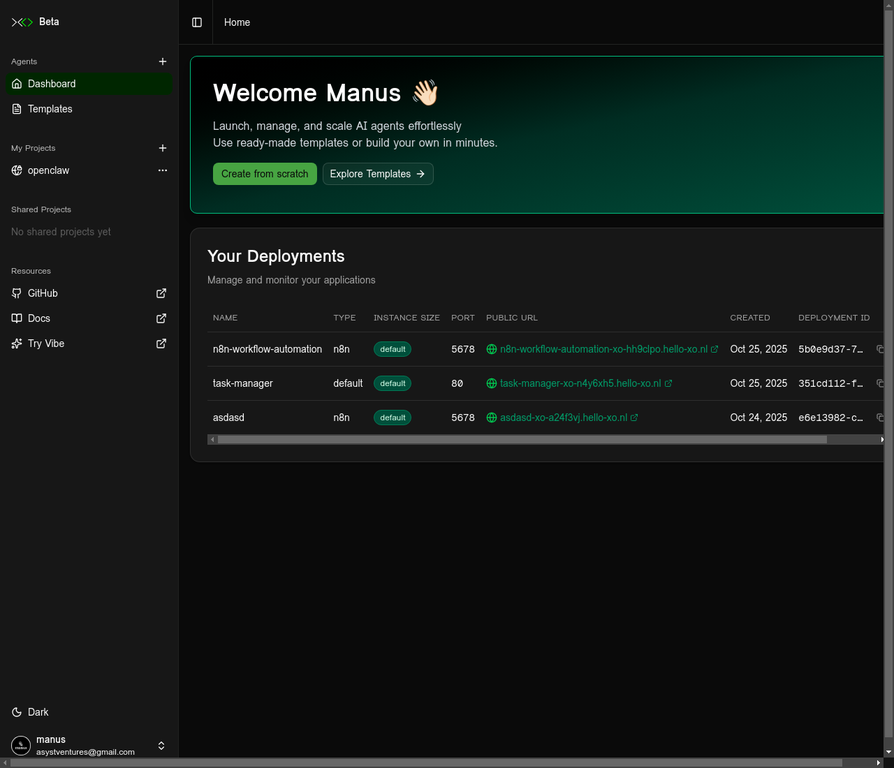
Create a New Project
Click the "Add Project" button to open the new project dialog.
3
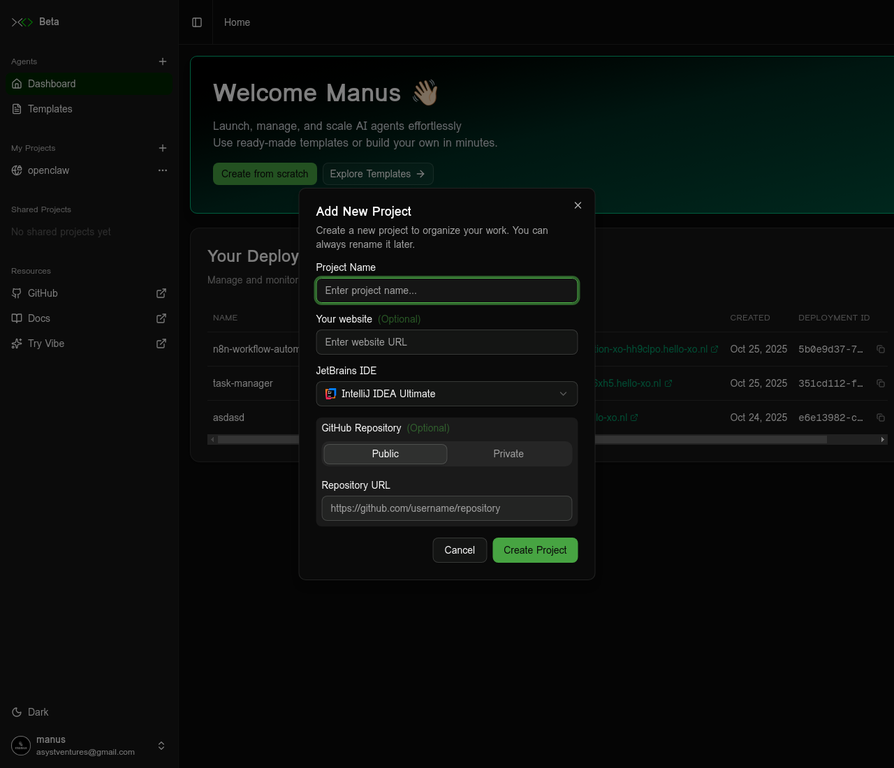
Configure Your Project
In the "Add New Project" dialog, provide the following details:
Project Name
A unique name for your project (e.g., my-openclaw-project)
GitHub Repository
Use the starter repo: github.com/sharmasuraj0123/openclaw-starterkit
IDE Preference
You can use any IDE you prefer — VS Code, Cursor, IntelliJ IDEA, or others.
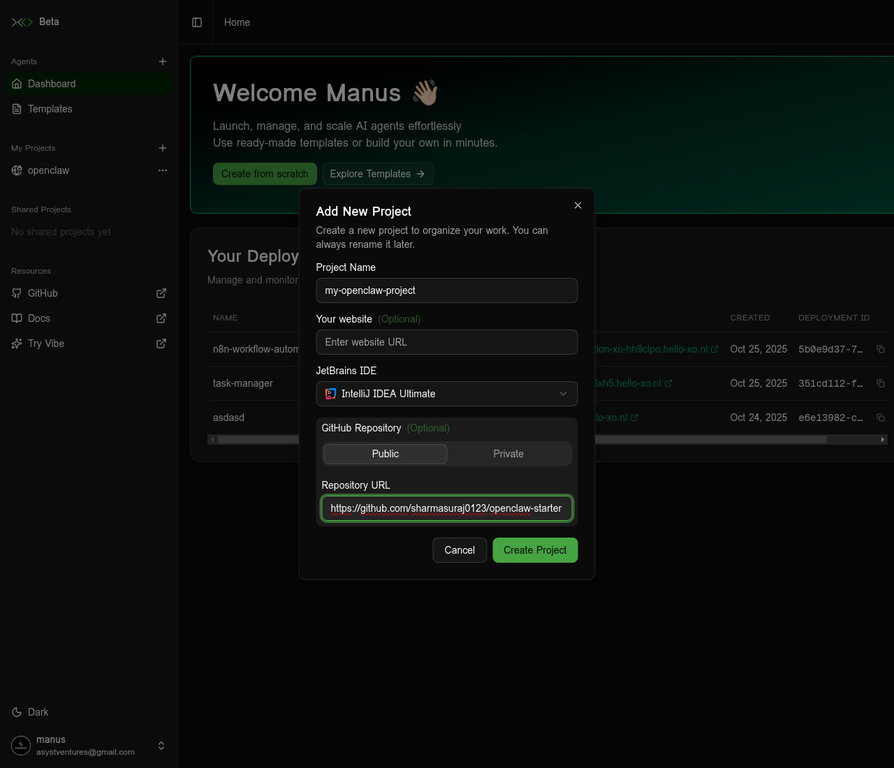
Once you've filled out the form, click "Create Project".
4
Project Created
Your new project will now appear in your list of projects on the dashboard.
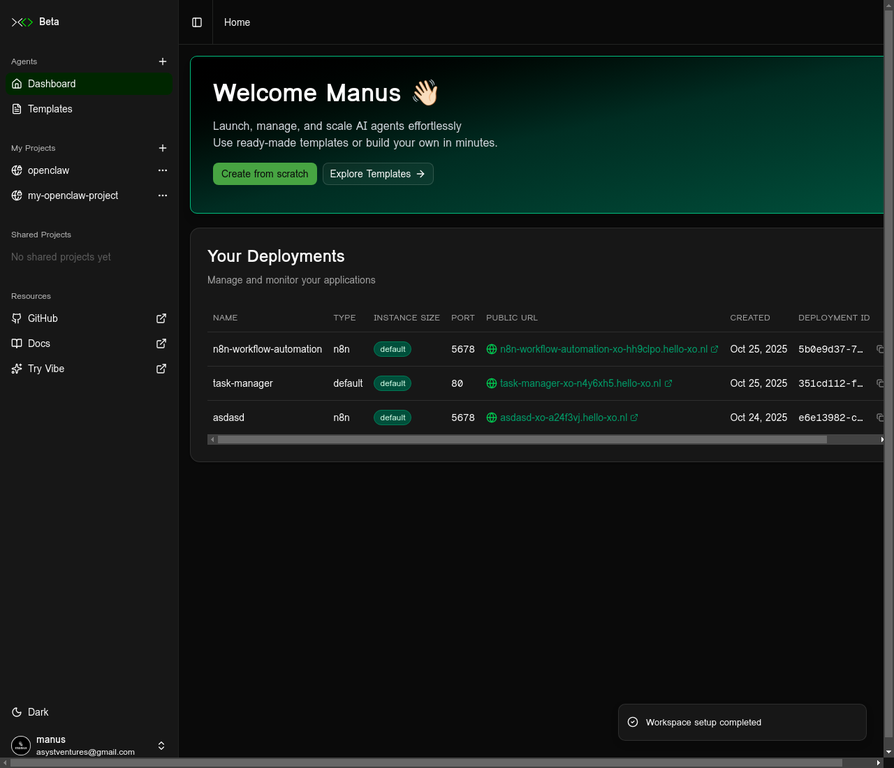
5
Open Your Project
Click on your newly created project to open the chat interface. This is where you can interact with your AI agents and manage your project.
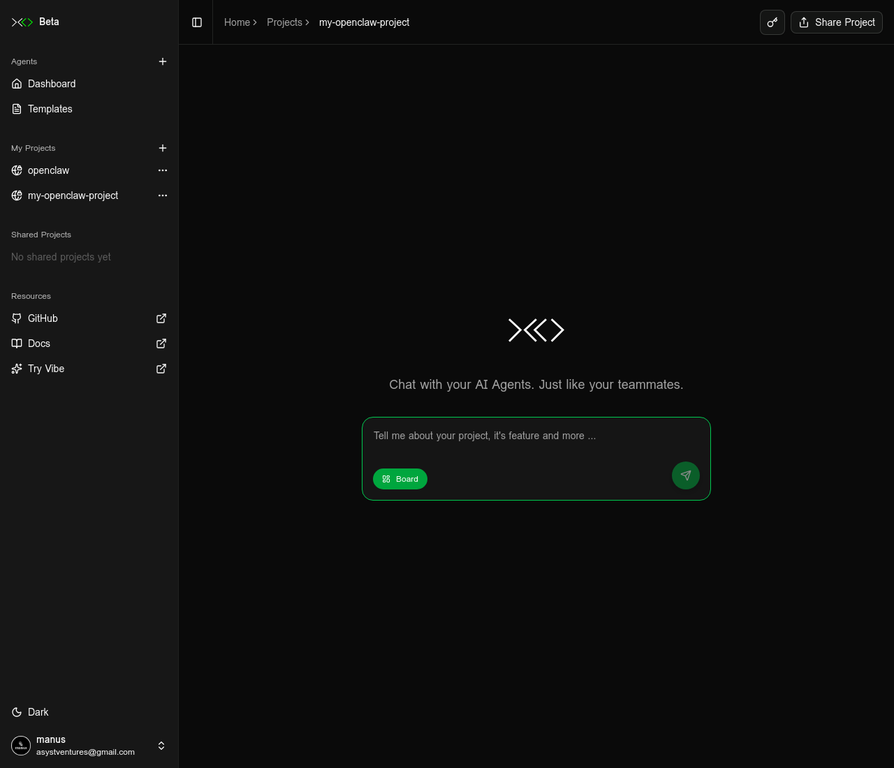
6
Get Setup Instructions
In the chat interface, ask the AI agent for help setting up your local development environment. The agent will provide you with the necessary commands and guidance.
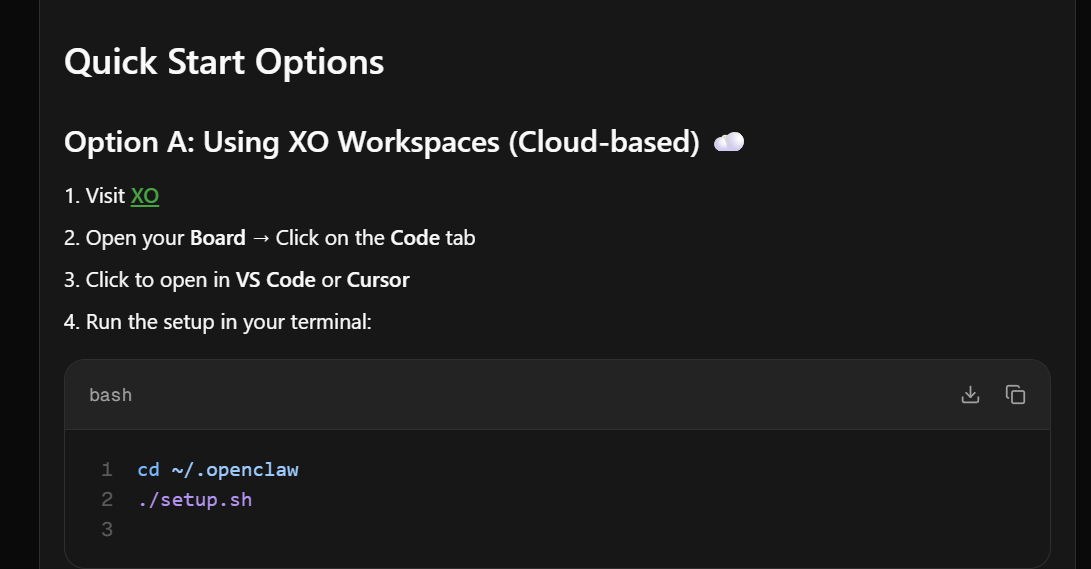
7
Open in VS Code/Cursor
Click on the Code tab in your project board, then click to open in your preferred IDE. Note that the secure connection can take some time to set up.
8
Run the Setup
Complete the setup by following the on-screen instructions from OpenClaw.
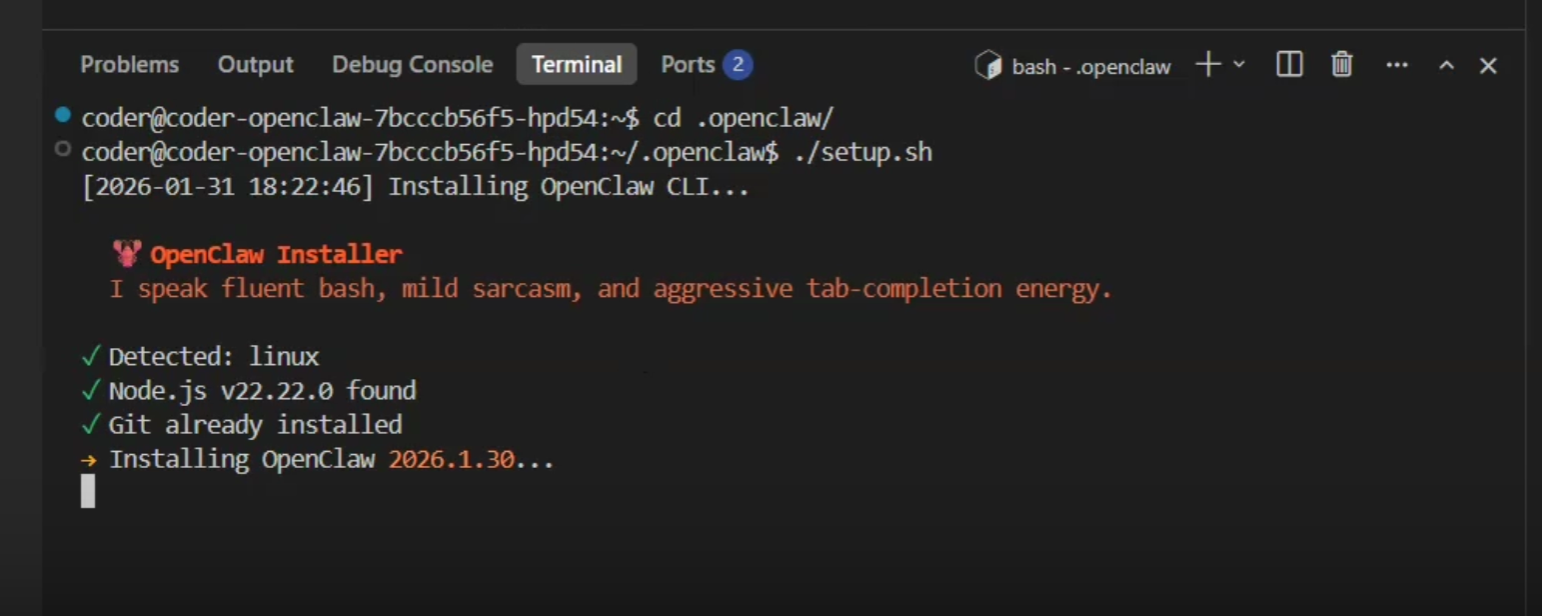
Troubleshooting Common Issues
Here are some common issues you might encounter and how to resolve them:
🔐 Permissions
If you encounter permission errors, make the setup scripts executable:
chmod +x setup.sh gateway.sh🌐 Gateway Issues
If your gateway doesn't start, check if the port is in use or view the logs:
# Check if port 10799 is in uselsof -i :10799# View gateway logs./gateway.sh logs
⚙️ CLI Path
If the openclaw CLI is not found, add it to your PATH:
export PATH="$PATH:./openclaw/bin/scripts"🔌 Coder Extension
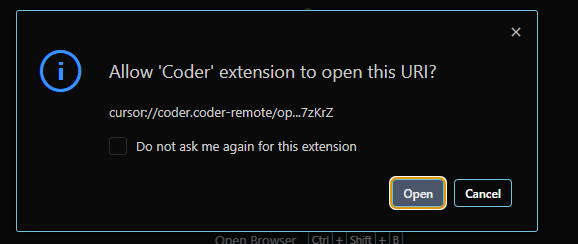
If you see a popup asking to allow the 'Coder' extension, click "Open".
Additional Resources
Video Tutorial
Watch the complete Loom video walkthrough of the Open Claw setup process.
Manus Thread
View the Manus AI thread that created this guide, including all the steps and reasoning.
Starter Repository
Clone or fork the Open Claw starter repository to get started quickly.
XO Platform
Access the XO platform to create and manage your Open Claw projects.
Feedback
Have feedback or questions? Open an issue on our GitHub repository.
You're All Set! 🎉
This guide has provided a detailed, step-by-step walkthrough of the Open Claw setup process with actual screenshots and a video. You are now ready to start building and managing your own AI agents with Open Claw and XO.

XO Team